

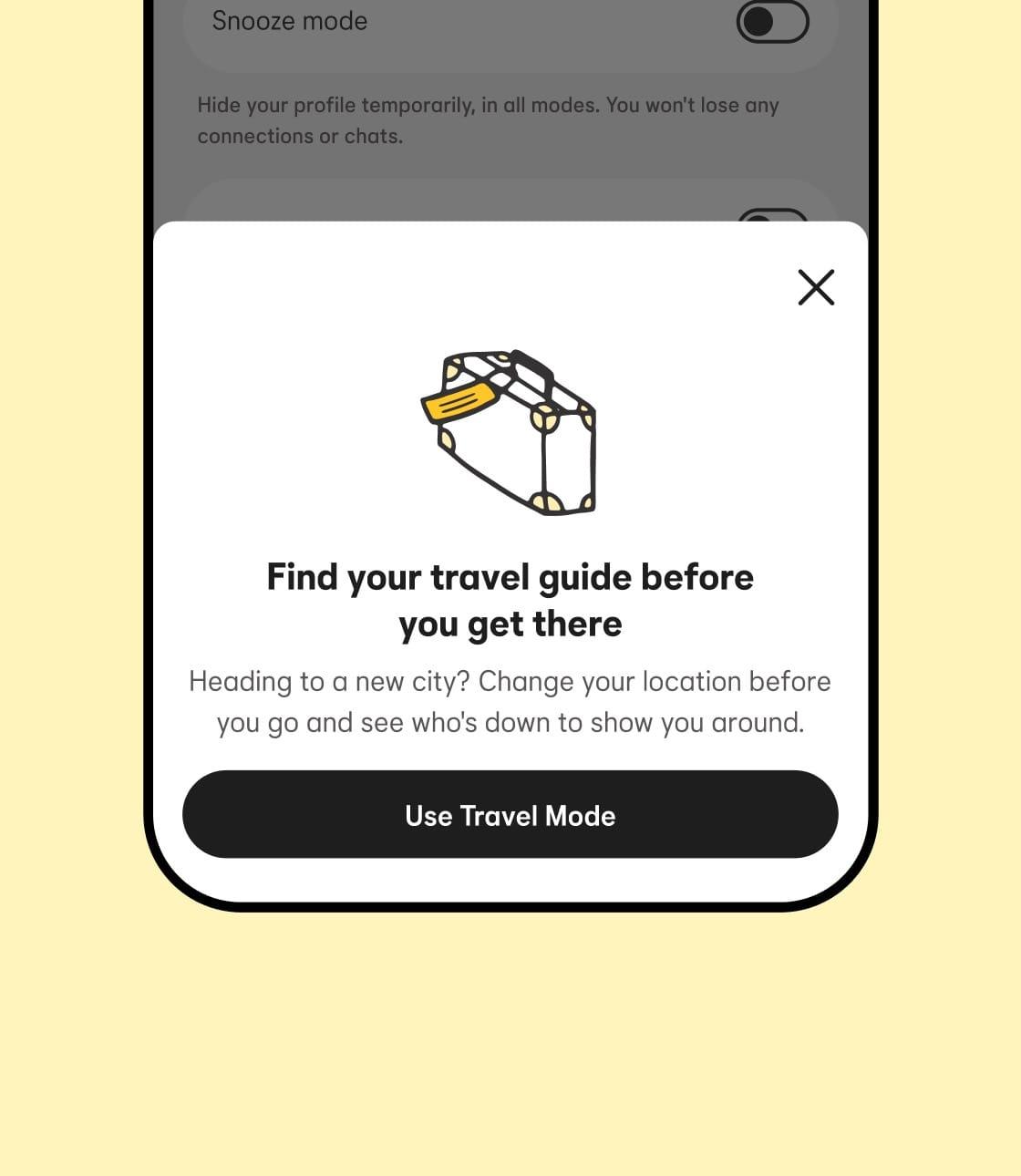
Planning to meet new people while you’re away? Bumble’s Travel Mode lets you connect with matches in any city before you even arrive.
Imagine setting up exciting dates or friendships ahead of time, making your trip more fun and less lonely. If you want to make the most of your travels and expand your social circle effortlessly, you’re in the right place. Keep reading to discover exactly how to use Travel Mode on Bumble and turn your next trip into a memorable adventure.
Credit: bumble.com
Contents
Activating Travel Mode
Activating Travel Mode on Bumble lets you connect with people in a new city before you arrive. It helps you explore potential matches from anywhere in the world. This feature is easy to turn on and customize.
Accessing Settings
Open the Bumble app on your phone. Tap the profile icon at the top left corner. Scroll down and find “Travel.” Tap it to open the Travel Mode settings.
Choosing Your Destination
Type the city or place where you want to meet people. Select the correct location from the list. This sets your profile to show matches in that area.
Duration Options
Pick how long you want Travel Mode active. Choose from one week to six months. This controls how long your profile appears in the chosen location.
Benefits Of Travel Mode
Travel Mode on Bumble offers several useful benefits. It helps users connect with people outside their usual area. This feature is great for those who travel often or plan to move. It makes meeting new people easier and more fun. Let’s explore some key benefits of Travel Mode.
Connecting With Locals
Travel Mode lets you meet people in the place you visit. You can chat with locals before you arrive. This helps you learn about the area and find good spots. Meeting locals gives a deeper experience of the city. It also makes your trip more social and interesting.
Expanding Match Radius
With Travel Mode, your match radius changes to your travel location. You do not have to be in your home city to get matches. This expands your pool of potential matches greatly. More matches mean more chances to find someone special. It keeps your Bumble experience active while away.
Previewing Matches Early
Travel Mode lets you see potential matches before you arrive. You can start conversations early and plan meetups. This saves time and avoids waiting until you get there. Previewing matches helps you decide who to meet. It makes your trip smoother and more enjoyable.
Managing Privacy
Managing privacy while using Travel Mode on Bumble is important. It helps you control who sees your location and profile. This keeps your personal information safe. You decide what others can view and when.
Controlling Location Visibility
Travel Mode lets you change your location to a new city. You control who sees this new location. You can hide your exact spot from everyone. Or, allow only certain people to view it. This helps protect your privacy while meeting new people.
You can turn off location sharing anytime. This stops Bumble from showing your location on the map. It keeps you private and secure during your travels. Always check your settings after changing your location.
Adjusting Profile Settings
Adjust your profile settings to manage what others see. You can hide personal details like age or job. Choose which photos to show or keep private. This helps you control your online presence.
You can also limit who can contact you. Set your preferences to match only certain users. This keeps unwanted messages away. Keep your profile updated to reflect your comfort level.

Credit: www.reddit.com
Tips For Effective Use
Using Travel Mode on Bumble lets you connect with people before you arrive. It saves time and makes dating easier in new places. To get the best results, follow some simple tips. These tips help you meet people who really match your interests and make your trip more fun.
Timing Your Travel Mode
Turn on Travel Mode a few days before your trip. This gives you time to chat and plan meetings. Keep Travel Mode on only during your trip. It avoids confusion with matches far away from your real location. Switching it off after travel keeps your profile accurate.
Crafting Location-specific Profiles
Change your profile to fit the new city or country. Mention local spots or events you like. This shows you are interested in the area. Add photos that match the location vibe. It helps people feel more connected to you.
Engaging With Matches
Start conversations with questions about the place. Ask for tips or favorite local hangouts. It shows you want to learn and explore. Reply quickly to keep chats lively and fun. Set up meetings early to avoid last-minute plans.
Troubleshooting Common Issues
Travel Mode on Bumble lets you connect with people in a new city before you arrive. Sometimes, it may not work as expected. This section helps fix common problems quickly. Follow these tips to get Travel Mode working smoothly.
Travel Mode Not Activating
Check your Bumble app version. Update it if needed. Restart the app after updating. Make sure you have a strong internet connection. Turn off any VPN or proxy service. These can block Travel Mode from turning on. Try logging out and back into Bumble. This refreshes your account settings. If the issue stays, reinstall the app. This often solves hidden bugs.
Location Not Updating
Allow Bumble to access your location in phone settings. Set location permissions to “Always” or “While Using the App.” Disable any location spoofing apps. These apps confuse Bumble’s GPS. Turn on GPS and wait for a clear signal. Sometimes, location updates take a few minutes. Close and reopen the app to refresh location data. Switch between Wi-Fi and mobile data. One may provide better location accuracy.
App Performance Tips
Clear the app cache regularly. This frees up space and improves speed. Close background apps to save memory. Restart your phone to fix slow response. Avoid using Travel Mode on weak networks. Use Wi-Fi or strong mobile data instead. Keep your device’s software updated. Outdated software can cause app crashes. Report persistent bugs to Bumble support. They can help fix technical problems fast.
Credit: www.youtube.com
Frequently Asked Questions
What Is Travel Mode On Bumble?
Travel Mode lets you change your location temporarily. It helps you match with people in other cities before you arrive there. This feature is useful for planning dates or networking when traveling.
How Do I Activate Travel Mode On Bumble?
Open Bumble, go to Settings, and select Travel Mode. Enter the city you want to visit and save changes. Your profile will then show matches from that location.
Does Travel Mode Require A Bumble Boost Subscription?
Yes, Travel Mode is available only with Bumble Boost or Bumble Premium. These paid plans unlock location changes and other premium features for better matching.
Can I Match With Locals Before Arriving With Travel Mode?
Yes, Travel Mode lets you connect with locals before your trip. It helps you plan meetups and explore the area through Bumble matches.
Conclusion
Using Travel Mode on Bumble lets you connect with people anywhere. Change your location quickly before your trip. Meet new friends or potential dates in advance. It helps you explore new places with ease. Keep your profile active while traveling.
Stay safe by chatting before meeting in person. Travel Mode makes online dating simple and fun. Give it a try on your next journey. Enjoy meeting people from around the world!
