

Are you planning to travel but worried about a possible UAE travel ban on your passport? Checking your travel status has never been easier, and knowing how to do it can save you from last-minute surprises and delays.
You’ll discover a simple, step-by-step way to check if there’s a travel ban linked to your passport number. Stay informed, avoid unnecessary stress, and make your travel plans with confidence. Keep reading to find out exactly what you need to do!
Contents
Check Uae Travel Ban Online
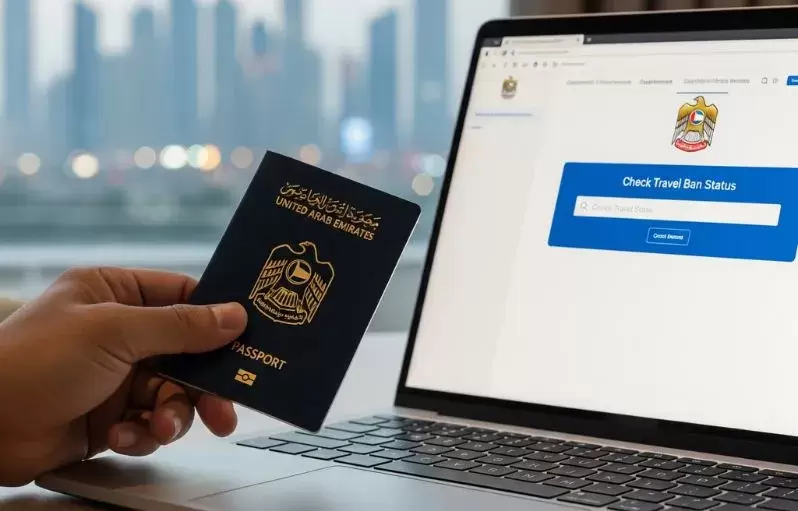
Checking your UAE travel ban status online saves time and effort. It helps you know if you can travel or face restrictions. The process is simple and quick. You only need your passport number and access to official websites.
Many government portals offer this service. They provide accurate and up-to-date information. You can check your travel ban status anytime from anywhere.
Visit Official Government Websites
Start by visiting the UAE government’s official websites. These sites are safe and reliable. They provide clear steps to check your travel ban status. Avoid unofficial sites to protect your personal data.
Use Ministry Of Interior Portal
The Ministry of Interior (MOI) portal is the main platform for this service. Enter your passport number and other details. The system quickly shows if you have any travel bans. The site is easy to use for all visitors.
Access Gdrfa Services
The General Directorate of Residency and Foreigners Affairs (GDRFA) offers travel ban checks too. It focuses on residency and immigration issues. Use your passport number to get your current travel status. The portal updates information regularly.
Required Information
Checking a UAE travel ban requires certain information. This data helps the system find the right records quickly. Knowing what details to have ready speeds up the process. It also avoids mistakes or delays in your inquiry.
Passport Number Details
Your passport number is the key piece of information. It is a unique code found on your passport’s identification page. Enter this number exactly as shown. Even one wrong digit can cause an error. This number links directly to your travel records in UAE databases.
Keep your passport handy before starting the check. Make sure it is valid and not expired. This ensures the system can verify your identity properly.
Additional Personal Data
Besides the passport number, some extra personal details might be required. This can include your full name as it appears on the passport. Your date of birth is often needed too.
Sometimes, your nationality or visa number helps narrow the search. Providing accurate information reduces the chance of confusion. It also protects your privacy by confirming your identity.
Step-by-step Checking Process
Checking your UAE travel ban status is simple and fast. Follow a few clear steps to find out if there is any restriction on your passport. This guide helps you avoid surprises before travel. It saves time and stress by giving accurate results online.
Navigate To The Travel Ban Section
Start by visiting the official UAE government website. Look for the section related to travel bans or immigration. This area is usually under the Ministry of Interior or General Directorate of Residency and Foreigners Affairs. The page will have a clear option to check travel bans using your passport number.
Enter Passport Number Correctly
Type your passport number exactly as it appears on your document. Double-check for any typing mistakes. Avoid spaces or extra characters. The system needs the correct format to find your information. Using the right passport number ensures accurate results.
Submit And Review Results
After entering your passport number, click the submit button. Wait a few seconds for the system to process your request. The screen will show your travel ban status clearly. It will say if you have a ban or if you are free to travel. Save or print the page for your records.
Alternative Methods To Check
Checking your UAE travel ban status using your passport number is simple online. Sometimes, alternative methods help if the website is slow or you prefer personal support. These options give you more ways to confirm your travel status safely and quickly.
Contacting Uae Embassies
UAE embassies offer direct help for travel ban inquiries. You can call or email them with your passport details. Staff will check the status and provide clear answers. This method is reliable for official information.
Using Mobile Apps
The UAE government has mobile apps for many services, including travel ban checks. Download apps like “ICA UAE” or “DubaiNow” on your phone. Enter your passport number to see if any travel bans exist. Apps are handy and work anytime.
Visiting Customer Service Centers
Visit customer service centers of immigration or airlines in the UAE. They can verify your travel ban status on the spot. Bring your passport and ID for quick processing. This option suits those who prefer face-to-face support.
Reasons For Travel Bans
Travel bans in the UAE happen for several important reasons. These restrictions protect the country’s laws and security. Knowing why a travel ban exists helps you understand your situation better. It also guides you on the steps to remove the ban.
Legal Disputes And Court Orders
Legal issues often cause travel bans. Courts may order a ban to ensure a person attends hearings. It stops people from leaving before resolving disputes. Cases include family matters, business conflicts, or criminal charges.
Unpaid Fines Or Debts
Unpaid fines or debts can lead to travel bans. The government blocks travel until these payments clear. This rule applies to traffic fines, utility bills, or loan repayments. Clearing debts helps lift the travel restrictions quickly.
Security Concerns
Security reasons also trigger travel bans. Authorities act to protect public safety and national interests. Suspicious activities or threats to peace cause immediate bans. These measures help maintain order and prevent harm.

Credit: www.yallamotor.com
Resolving A Travel Ban
Resolving a travel ban in the UAE requires clear steps. You must follow legal rules, pay any dues, and ask for the ban to be lifted. Each step is important to remove the ban and travel freely again.
Legal Procedures
Start by understanding the legal reason for the ban. Visit the court or immigration office to get details. You may need a lawyer to help explain your case. Follow all instructions from the legal authorities carefully.
Clearing Financial Obligations
Many travel bans occur due to unpaid debts or fines. Check if you have any unpaid bills or penalties. Pay all outstanding amounts fully to clear your record. Keep receipts as proof to show officials.
Requesting Ban Removal
After clearing dues and legal matters, submit a request to remove the ban. This request goes to the immigration or court office. Provide all documents showing your cleared debts and legal status. Wait for official approval before planning your travel.
Tips To Avoid Travel Bans
Travel bans can cause many problems and disrupt your plans. Knowing how to avoid them helps you travel with peace of mind. Simple steps can keep your passport clear and your trips smooth.
Following these easy tips reduces the risk of facing travel restrictions in the UAE. Staying informed and organized matters a lot.
Stay Updated On Legal Matters
Know the current laws that affect travel in the UAE. Changes happen fast and can impact your ability to leave the country. Check official government sites regularly. Understanding your rights and duties prevents surprises at the airport.
Maintain Clear Financial Records
Keep track of all your bills and debts. Unpaid fines or loans often cause travel bans. Pay dues on time and keep receipts. Showing proof of payment helps if questions arise. Good financial habits keep your passport clean.
Regularly Check Travel Status
Use online tools to check your travel ban status with your passport number. Doing this often gives early warnings of any restrictions. Early detection allows you to fix issues fast. Stay proactive and avoid last-minute problems.

Credit: www.youtube.com
Credit: www.yallamotor.com
Frequently Asked Questions
How Can I Check Uae Travel Ban With My Passport Number?
You can check your UAE travel ban status online via the official UAE government portals. Enter your passport number to get instant results.
Which Website Shows Uae Travel Ban Status By Passport?
The UAE Federal Authority for Identity and Citizenship website provides travel ban information using your passport number. It’s secure and updated regularly.
Is Checking Uae Travel Ban With Passport Number Free?
Yes, checking your UAE travel ban status with your passport number on government websites is completely free and confidential.
How Long Does It Take To Get Uae Travel Ban Info Online?
The UAE travel ban status appears instantly after entering your passport number on the official portal. No waiting time is required.
Conclusion
Checking your UAE travel ban with a passport number is simple and quick. Use official websites to get accurate and updated information. Keep your passport details ready before you start the process. Regularly checking helps avoid travel issues and surprises.
Stay informed to plan your trips with confidence and peace of mind. This small step saves time and stress at the airport. Always follow the correct steps to get reliable results. Your travel plans will be smoother when you check early.
