
Curious about how a UAE visa looks like? This complete visual guide breaks down every detail—from design and layout to security features and visa types. Whether you’re applying for tourism, work, or residency, understanding the appearance and structure of your UAE visa ensures you stay informed and avoid scams.
So, you’re planning a trip—or maybe even a move—to the United Arab Emirates. Whether it’s for a short vacation, a new job, or long-term residency, one thing is certain: you’ll need a UAE visa. But have you ever wondered, *what does a UAE visa actually look like?* It’s not just a stamp in your passport. In fact, the appearance of a UAE visa has evolved significantly over the years, especially with the shift toward digital systems.
Gone are the days when visas were only colorful paper stickers glued into your passport. Today, the UAE issues both physical and electronic visas, and understanding the difference is crucial. Whether you’re applying through an airline, a sponsor, or an online portal, knowing what to expect can save you time, stress, and even money. In this complete visual guide, we’ll walk you through every aspect of how a UAE visa looks—its design, layout, security features, and where to find it. Think of this as your friendly, no-nonsense tour of UAE visa visuals, packed with real-world examples and practical tips.
Contents
- 1 Key Takeaways
- 2 Quick Answers to Common Questions
- 3 📑 Table of Contents
- 4 Types of UAE Visas and Their Visual Differences
- 5 Physical vs. Digital: What’s the Difference?
- 6 Security Features: How to Spot a Fake Visa
- 7 How to View and Download Your UAE Visa
- 8 Common Mistakes and How to Avoid Them
- 9 Conclusion
- 10 Frequently Asked Questions
Key Takeaways
- UAE visas come in digital and physical formats: Most are now issued electronically, but some still include printed stickers in passports.
- Design varies by visa type: Tourist, work, student, and residency visas have distinct layouts and color codes.
- Security features prevent forgery: Holograms, microprinting, QR codes, and UV elements help verify authenticity.
- Key information is clearly displayed: Name, passport number, nationality, entry/exit dates, and sponsor details are always visible.
- Digital visas are accessed via apps: The ICA Smart Services app and GDRFA portal allow users to view and download e-visas.
- Always verify your visa: Cross-check details with official government platforms to avoid fraud.
- Visa appearance may change: The UAE updates designs periodically, so stay updated through official sources.
Quick Answers to Common Questions
Can I travel to the UAE with just a digital visa?
Yes, most travelers can enter the UAE with a digital visa. Immigration officers scan your passport and retrieve your visa electronically. No physical sticker is required unless specifically requested.
Do all UAE visas look the same?
No, visa appearance varies by type. Tourist, work, student, and residency visas have different colors, layouts, and details. Digital visas follow a standard format but are labeled clearly by category.
How can I check if my UAE visa is real?
Use the ICA app or GDRFA portal to verify your visa. Scan the QR code on digital visas or check for holograms and microprinting on physical ones. Always cross-reference with official sources.
Is a UAE visa the same as an Emirates ID?
No. A visa allows you to enter and stay in the UAE, while an Emirates ID is a mandatory identity card for residents. You need a valid visa to apply for an Emirates ID.
Can I print my digital UAE visa?
Yes, you can download and print your digital visa from the ICA app or GDRFA portal. Keep a copy for travel, but remember that immigration uses electronic records.
📑 Table of Contents
Types of UAE Visas and Their Visual Differences
The UAE offers a wide range of visa types, each tailored to different purposes and durations of stay. And yes—each type looks slightly different. From tourist visas to golden visas, the design elements help authorities and travelers quickly identify the visa category.
Tourist Visa (Short-Term)
The most common visa for visitors, the UAE tourist visa, is typically issued for 30 or 90 days. In the past, this appeared as a blue or green sticker in your passport. The sticker included your photo, name, passport number, nationality, entry and exit dates, and the issuing authority. However, since 2022, most tourist visas are now fully digital. You won’t receive a physical sticker unless you specifically request one or are traveling through certain airlines that still use them.
Instead, your visa is stored electronically and linked to your passport number. When you arrive at UAE airports, immigration officers scan your passport and retrieve your visa data from the system. You can also view your e-visa through the ICA (Federal Authority for Identity and Citizenship) app or website. The digital version displays your photo, personal details, visa type, and validity period in a clean, professional layout—usually with the UAE flag and government branding.
Work Visa (Employment Visa)
If you’re moving to the UAE for a job, you’ll need a work visa, also known as an employment visa. This visa is usually issued for two years and is sponsored by your employer. The physical version—still used in some cases—appears as a pink or beige sticker in your passport. It includes your photo, job title, employer name, and work permit number.
However, like tourist visas, work visas are increasingly digital. Once approved, your visa details are accessible via the Ministry of Human Resources and Emiratisation (MOHRE) portal and the ICA app. The digital version features a formal layout with official logos, your photo, and a QR code for verification. Employers often receive a copy via email, and employees can download it for travel and registration purposes.
Student Visa
Students enrolled in UAE universities or colleges receive a student visa, typically valid for one year and renewable. These visas often come in a light blue or white sticker format when physical. The design includes the educational institution’s name, course details, and duration of study.
Digital student visas follow a similar format to other e-visas, with clear labeling and secure access through the ICA platform. Many universities assist students in applying and provide digital copies upon approval. The visual design emphasizes the academic nature of the visa, often including university logos or educational symbols.
Residence Visa (Long-Term)
For those staying longer—such as family members of residents or investors—the UAE offers residence visas. These can last from one to ten years, depending on the category. The physical version is usually a green or gold sticker, symbolizing long-term status.
The digital residence visa, especially for the popular “Golden Visa,” features a sleek, modern design. It often includes a golden border or emblem, reflecting its premium status. Golden Visa holders receive a digital card accessible via the ICA app, complete with a QR code, photo, and detailed personal information. This visa is not just a travel document—it’s also used for banking, property registration, and other official purposes.
Physical vs. Digital: What’s the Difference?
Visual guide about How UAE Visa Look Like A Complete Visual Guide
Image source: c-uae.com
One of the biggest changes in UAE visa processing is the shift from physical stickers to digital records. But what does this mean for how your visa looks?
Physical Visas: The Classic Sticker
Physical visas are adhesive stickers placed directly into your passport. They’re made of high-quality paper or synthetic material and include printed text, your photo, and security features. These are still used in some cases, especially for travelers from countries without full digital integration or for specific visa categories.
The sticker typically occupies one full page of your passport. It’s color-coded—blue for tourism, pink for work, green for residency—and includes the UAE coat of arms, government seals, and official signatures. The text is in both English and Arabic, with key details like your name, passport number, and validity dates clearly visible.
Digital Visas: The Modern Standard
Digital visas are the future—and the present—of UAE immigration. Instead of a sticker, your visa information is stored in a secure government database and linked to your passport number. You access it through official platforms like the ICA Smart Services app or the GDRFA (General Directorate of Residency and Foreigners Affairs) portal.
When you view your digital visa, it appears as a PDF or mobile-friendly document. It includes your photo, personal details, visa type, issue and expiry dates, and a unique reference number. Most digital visas also feature a QR code that immigration officers can scan to verify authenticity. The design is clean, professional, and consistent across visa types, with the UAE flag and government branding prominently displayed.
One major advantage? No risk of losing or damaging a physical sticker. Plus, digital visas reduce processing time and environmental waste.
Security Features: How to Spot a Fake Visa
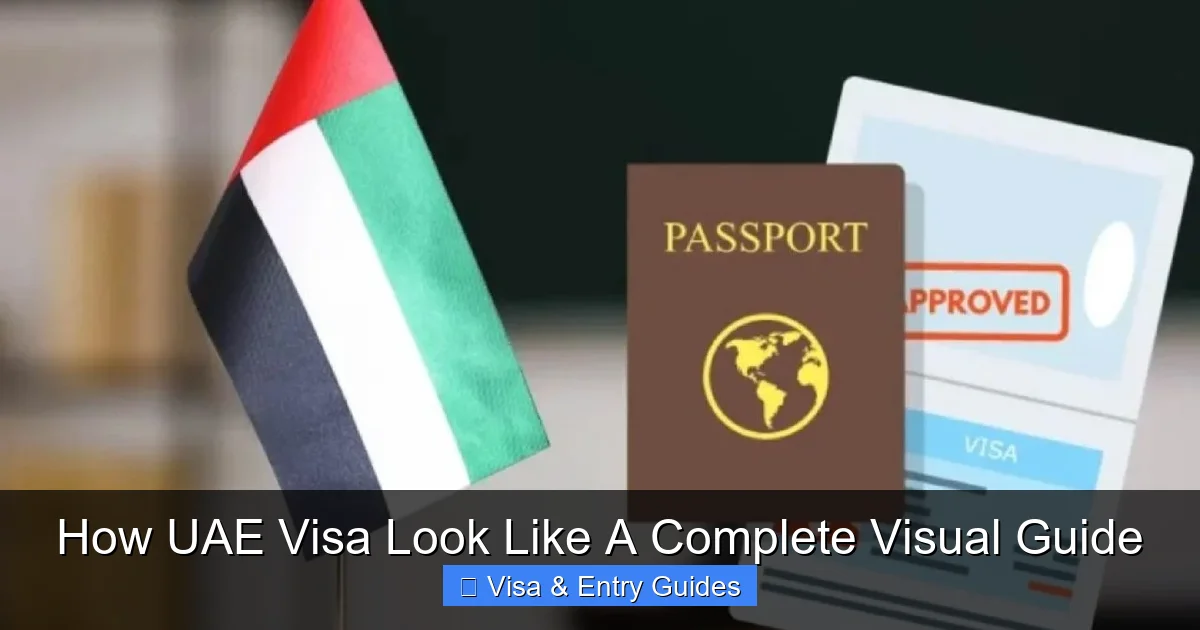
Visual guide about How UAE Visa Look Like A Complete Visual Guide
Image source: c-uae.com
With the rise of visa fraud, the UAE has implemented advanced security measures to protect travelers and maintain border integrity. Knowing these features helps you verify your visa and avoid scams.
Holograms and Watermarks
Physical visas often include holographic elements—shiny, shifting images that change when tilted. These are difficult to replicate and are usually placed over the photo or in a corner of the sticker. Watermarks, visible when held up to light, are another common feature.
Microprinting and UV Elements
Under magnification, you’ll notice tiny text—microprinting—that’s impossible to reproduce with standard printers. UV (ultraviolet) features glow under blacklight and are used in both physical and digital visas. For example, the UAE flag might appear only under UV light.
QR Codes and Barcodes
Most digital visas include a QR code. Scanning it with your phone takes you to an official government page that confirms your visa details. This is one of the easiest ways to verify authenticity. Never trust a visa that lacks a scannable code or links to a suspicious website.
Consistent Formatting and Language
Official UAE visas use proper grammar, consistent fonts, and accurate government logos. Typos, blurry images, or mismatched colors are red flags. Always cross-check your visa details with your passport—names and numbers must match exactly.
How to View and Download Your UAE Visa
Visual guide about How UAE Visa Look Like A Complete Visual Guide
Image source: static.wixstatic.com
Now that you know what a UAE visa looks like, here’s how to access yours.
Using the ICA Smart Services App
Download the ICA Smart Services app (available on iOS and Android). Register with your passport number and Emirates ID (if applicable). Once logged in, go to “Visa Services” and select “View Visa.” Your digital visa will appear on screen, ready to download or share.
Via the GDRFA Portal
Visit the official GDRFA website (www.gdrfad.gov.ae) and use the “Visa Inquiry” tool. Enter your passport number, nationality, and date of birth. If your visa is approved, you’ll see a summary and can download the full document.
Through Your Sponsor or Airline
If you applied through an employer, university, or airline (like Emirates or Etihad), they may send you a copy via email. Always verify that the document comes from an official domain (e.g., @ica.gov.ae or @gdrfad.gov.ae).
Common Mistakes and How to Avoid Them
Even with digital systems, errors happen. Here’s what to watch for:
- Mismatched names: Ensure your name on the visa matches your passport exactly—including spelling and order.
- Expired visas: Check the validity date before traveling. Overstaying can lead to fines or bans.
- Incorrect visa type: A tourist visa won’t allow you to work. Double-check your visa category.
- Fake websites: Only use official government portals. Avoid third-party sites that charge extra fees.
Conclusion
Understanding how a UAE visa looks like is more than just curiosity—it’s a vital part of traveling or relocating to the UAE safely and legally. From colorful stickers to sleek digital documents, UAE visas have evolved to meet modern needs while maintaining high security standards. Whether you’re holding a physical sticker or viewing your e-visa on your phone, knowing what to expect helps you navigate the process with confidence.
Always verify your visa through official channels, keep digital copies secure, and stay informed about updates. The UAE continues to innovate its immigration systems, so what you see today might improve tomorrow. But one thing remains constant: a valid UAE visa is your gateway to one of the world’s most dynamic destinations.
Frequently Asked Questions
What does a UAE tourist visa look like?
A UAE tourist visa is usually digital and appears as a clean, government-branded document with your photo, name, passport number, and travel dates. Physical versions are blue or green stickers in your passport.
Are UAE visas still stickers in passports?
Most visas are now digital, but some travelers may still receive physical stickers, especially if applied through certain airlines or for specific visa types.
How long does it take to get a UAE visa?
Tourist visas are often approved within 24–72 hours. Work and residency visas may take 5–10 days, depending on the sponsor and processing center.
Can I extend my UAE visa?
Yes, tourist visas can usually be extended once for 30 days. Work and residency visas are renewed through your sponsor or employer.
What happens if my UAE visa expires?
Overstaying results in daily fines (AED 50–100 per day). In some cases, it can lead to deportation or a ban from re-entering the UAE.
Do children need a UAE visa?
Yes, all travelers, including infants, require a valid UAE visa. Children under 18 traveling with parents may be included on a family visa or need their own.
